The Ultimate 2026 Trip Planning Template Free List: 12 Tools to Use
Planning a trip should be exciting, not a chaotic mess of scattered group chats, conflicting opinions, and endless spreadsheets. A well-designed trip planning template, free from clutter, is the secret to a smooth process. It acts as a central hub for your itinerary, budget, and documents, turning disorganization into clarity. Whether you're arranging a solo adventure to Prague, a bachelorette party in Mykonos, or a family reunion in Rome, the right tool makes all the difference. This guide cuts directly to the chase, presenting the best free templates for every type of traveler.
Forget endless searching. We've compiled 12 top-tier options, from powerful project management apps to simple, effective spreadsheets. Each review includes a detailed breakdown, pros, cons, and screenshots to help you quickly find the perfect fit for your planning style. You’ll see exactly how to use these tools to coordinate everything from a weekend getaway in Lisbon to a complex multi-family holiday. We provide direct links so you can get started immediately. Stop wrestling with logistics and start focusing on the adventure ahead. This curated list is your first step toward a perfectly organized trip.
1. MyPerfectStay
MyPerfectStay moves beyond static spreadsheets by offering a dynamic, interactive platform built to solve the most difficult part of group travel: making decisions. Instead of a downloadable file, it provides a powerful, data-driven system where preferences are collected and analyzed instantly. This approach makes it a standout choice for anyone tired of endless group chats and conflicting opinions when planning trips with friends, family, or colleagues.
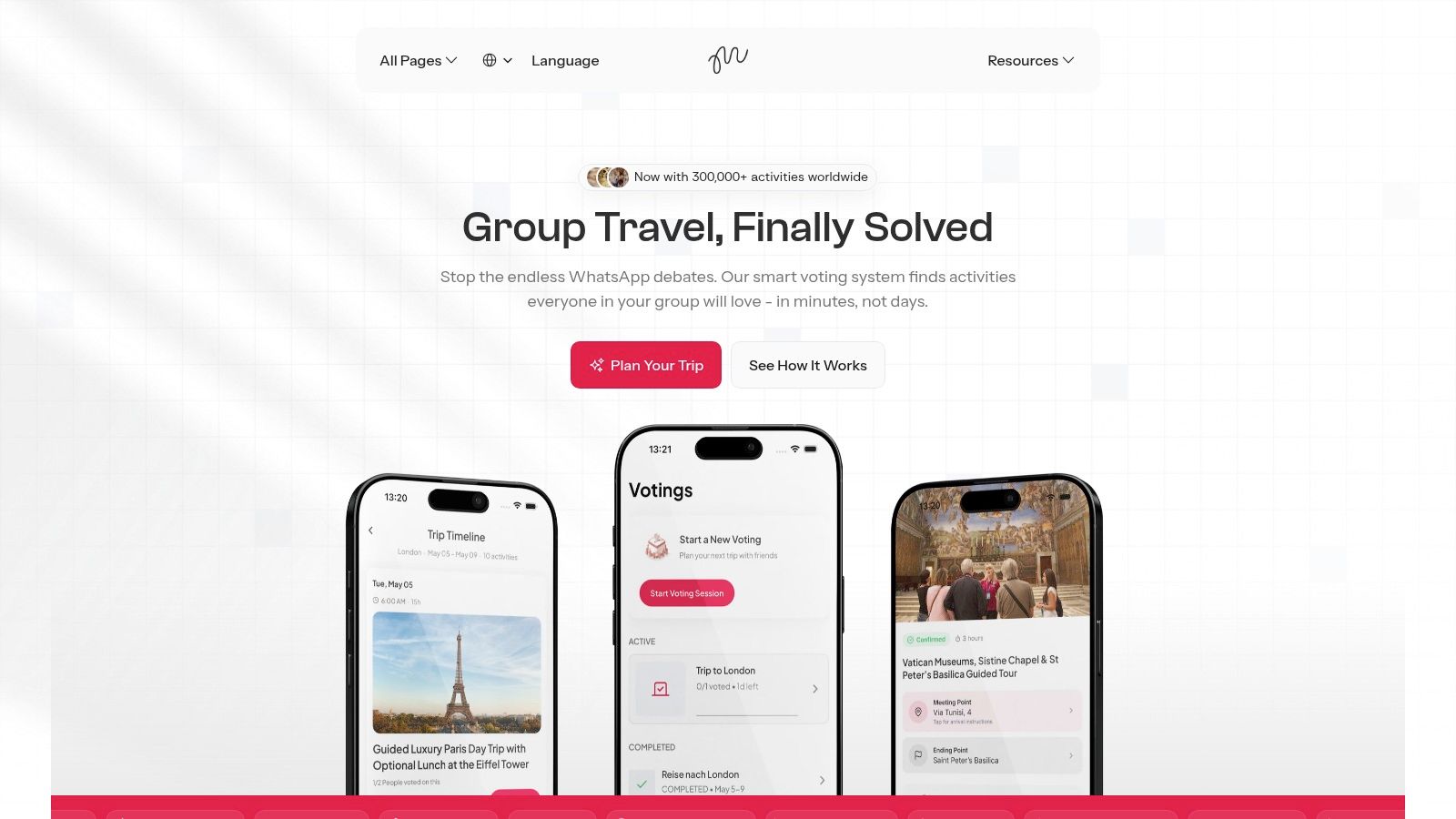
The platform’s core strength is its smart voting algorithm. Each traveler privately completes a two-minute survey on their budget, interests, and must-see sights. MyPerfectStay then surfaces activities with clear match scores, showing what the group collectively wants to do. This democratic process ensures everyone’s voice is heard, from the quietest member to the most vocal, turning potential arguments into quick, satisfying decisions. It's particularly effective for organizing a bachelorette party in Lisbon or a family reunion in Dubai.
Key Features and Use Cases
Democratic Decision-Making: The private survey and smart voting system produce clear activity match scores. This eliminates long debates and ensures plans reflect the group's true consensus.
Integrated Booking: With over 300,000 bookable experiences, you can go from voting to booking in one click. Booked activities automatically populate a shared itinerary, sending confirmations to all participants.
Stress-Free Organization: Invite members with a simple link, set decision deadlines, and send automated nudges. This removes the need for the organizer to constantly chase people down. For a deeper look at the challenges it solves, you can find more information about effective group travel planners on their blog.
How It Works
Aspect | MyPerfectStay's Approach |
|---|---|
Pricing | Freemium. It's free to create a trip, invite travelers, and vote on activities. You only pay for the experiences you book. |
Access | Web-based with no account required to start. Optional, full-featured apps are available for both iOS and Android. |
Pros | Fast, data-driven decisions; massive global inventory of activities; one-click group booking and automated itinerary. |
Cons | Relies on third-party suppliers, so availability and policies can vary; best for groups of 3-30 people. |
Website: MyPerfectStay
2. Notion – Travel Planner templates (official gallery)
Notion offers a powerful, database-driven approach to trip organization that goes far beyond static spreadsheets. Instead of just a single document, Notion provides an entire workspace where you can build interconnected pages for your itinerary, budget, packing list, and reservation confirmations. Its official template gallery includes a fantastic free travel planner that you can duplicate with one click, giving you a pre-built structure to customize.
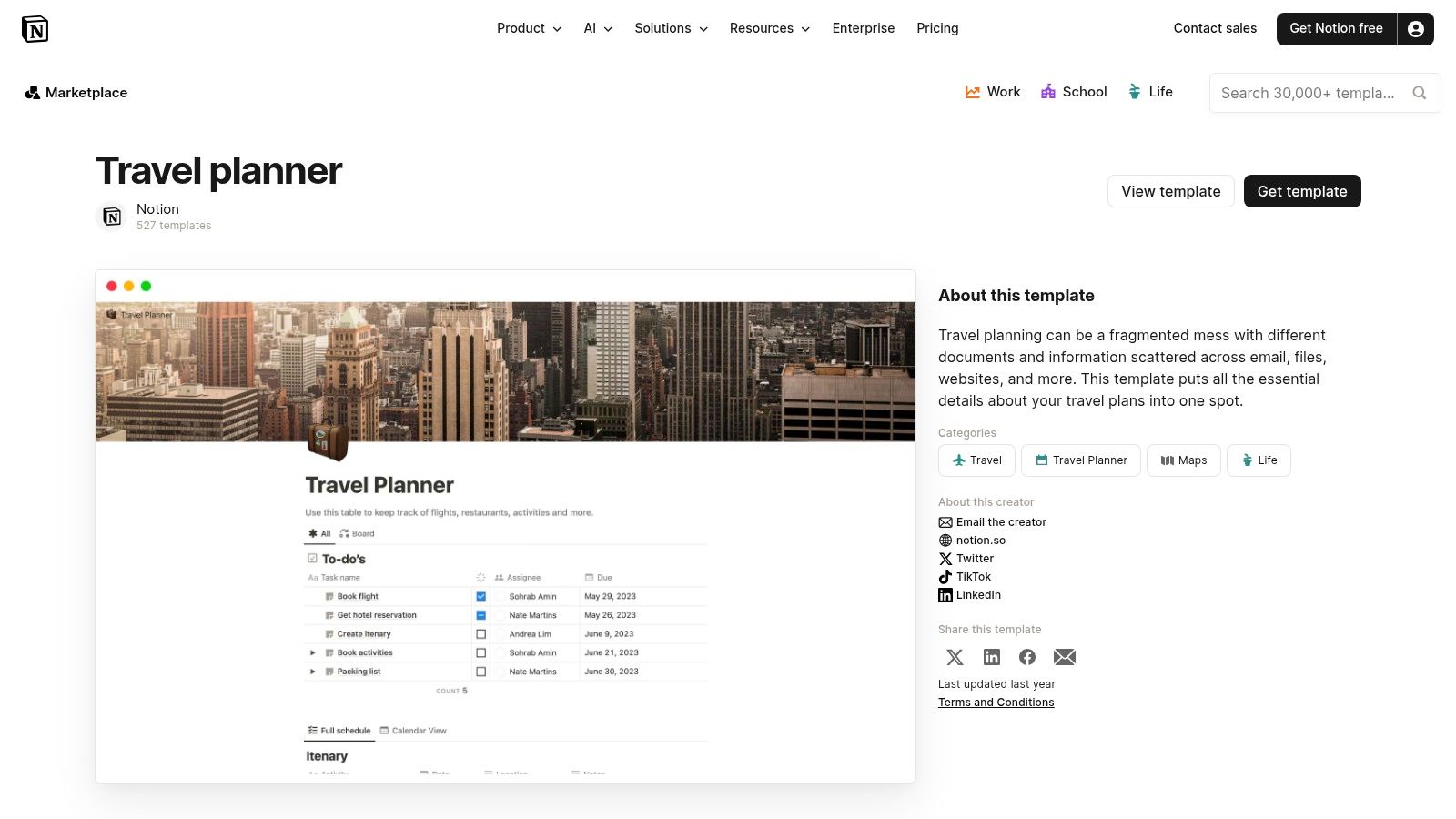
This setup is ideal for detailed planners organizing a complex group trip, like a multi-city tour of Europe from Paris to Rome. You can link your activity list directly to your budget and daily schedule, ensuring everything stays in sync. For group coordination, the real-time collaboration and commenting features are excellent. Planners can assign tasks, tag members for decisions, and discuss plans right on the page, which simplifies the challenges of group travel. If you're new to this kind of tool, you can explore guides on how to plan a group trip to get the most out of Notion’s features.
Best For: Planners who love customization and want to build an all-in-one trip dashboard. Access: Free with a Notion account.
Pros: Highly customizable, keeps all planning assets in one place, excellent for real-time group collaboration.
Cons: The platform's flexibility can feel overwhelming for beginners, and setting up advanced database relations has a learning curve.
3. Trello – Trip planning boards and templates
Trello uses a visual, card-based system that makes it one of the most intuitive tools for group trip planning. Its core structure consists of boards, lists, and cards, which you can drag and drop to organize everything from flight confirmations to daily activities. Trello's dedicated travel page offers several free trip planning template options to copy, giving you a pre-organized board to start with immediately.
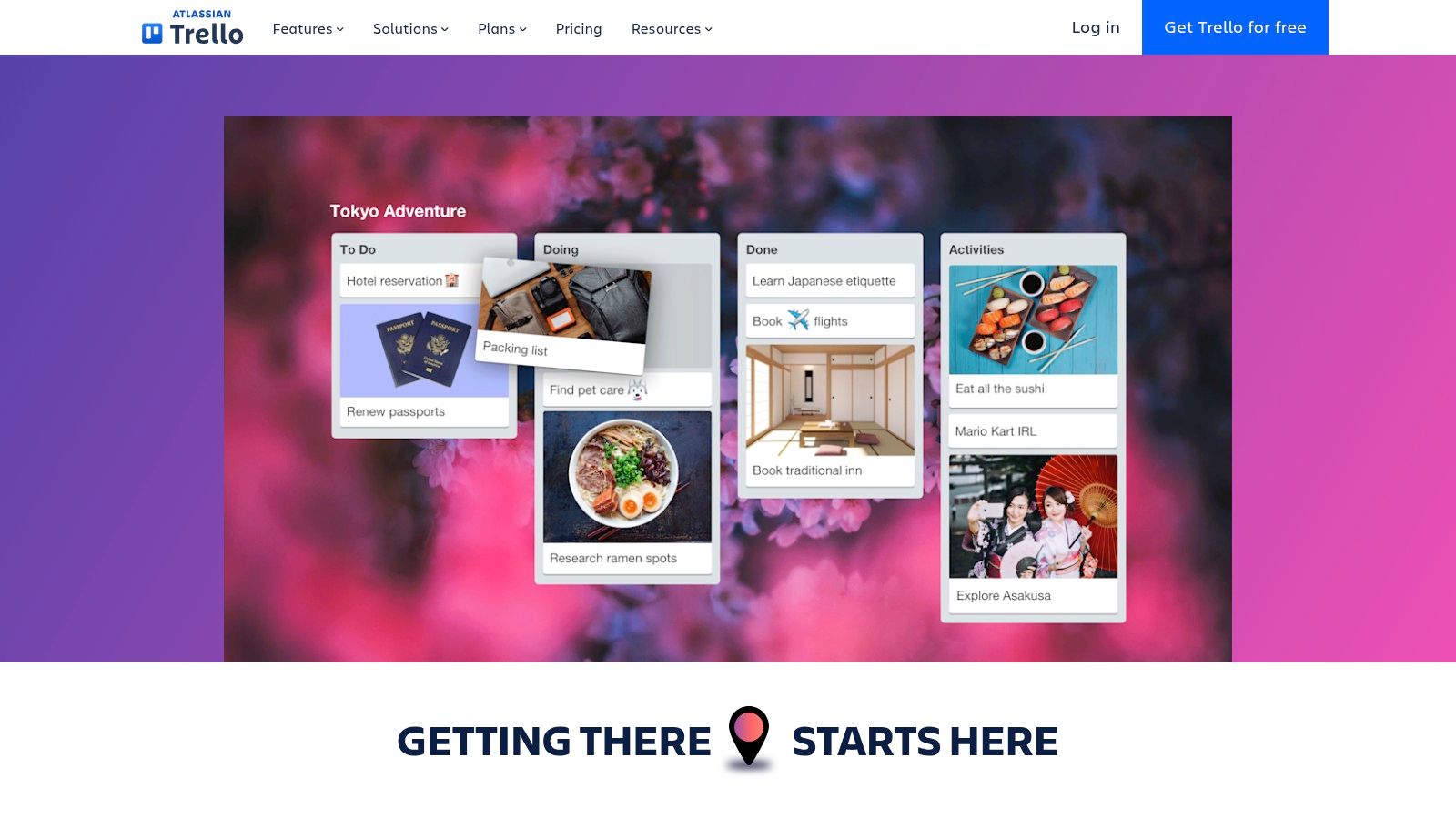
This approach is perfect for task-oriented group travel, like coordinating a bachelorette party in Lisbon or a family holiday in Dubai. You can create lists for "To-Do," "Booked," and "Confirmed," moving cards along as tasks are completed. Each card can hold checklists, attachments, and due dates, and you can assign members to specific items, like booking museum tickets or a rental car. The simple, visual layout is easy for everyone to understand, even those who aren't tech-savvy, making group coordination straightforward.
Best For: Visual planners and groups who need a simple, task-focused way to coordinate. Access: Free with a Trello account.
Pros: Simple, visual layout that non-technical users grasp quickly; works well on mobile for on-the-go updates; good for group task coordination.
Cons: Advanced automations and many "Power-Ups" (integrations) may require paid tiers; may need add-ons for more advanced scheduling features.
4. Asana – Travel Planner template
Asana applies its project management strengths to trip planning, turning logistics and to-do lists into a clear, actionable project. This platform's free travel planner template is structured around tasks and deadlines, making it perfect for ensuring every detail is accounted for. Instead of a passive document, it creates an active workspace where you can assign responsibilities, set due dates for bookings, and attach confirmations.
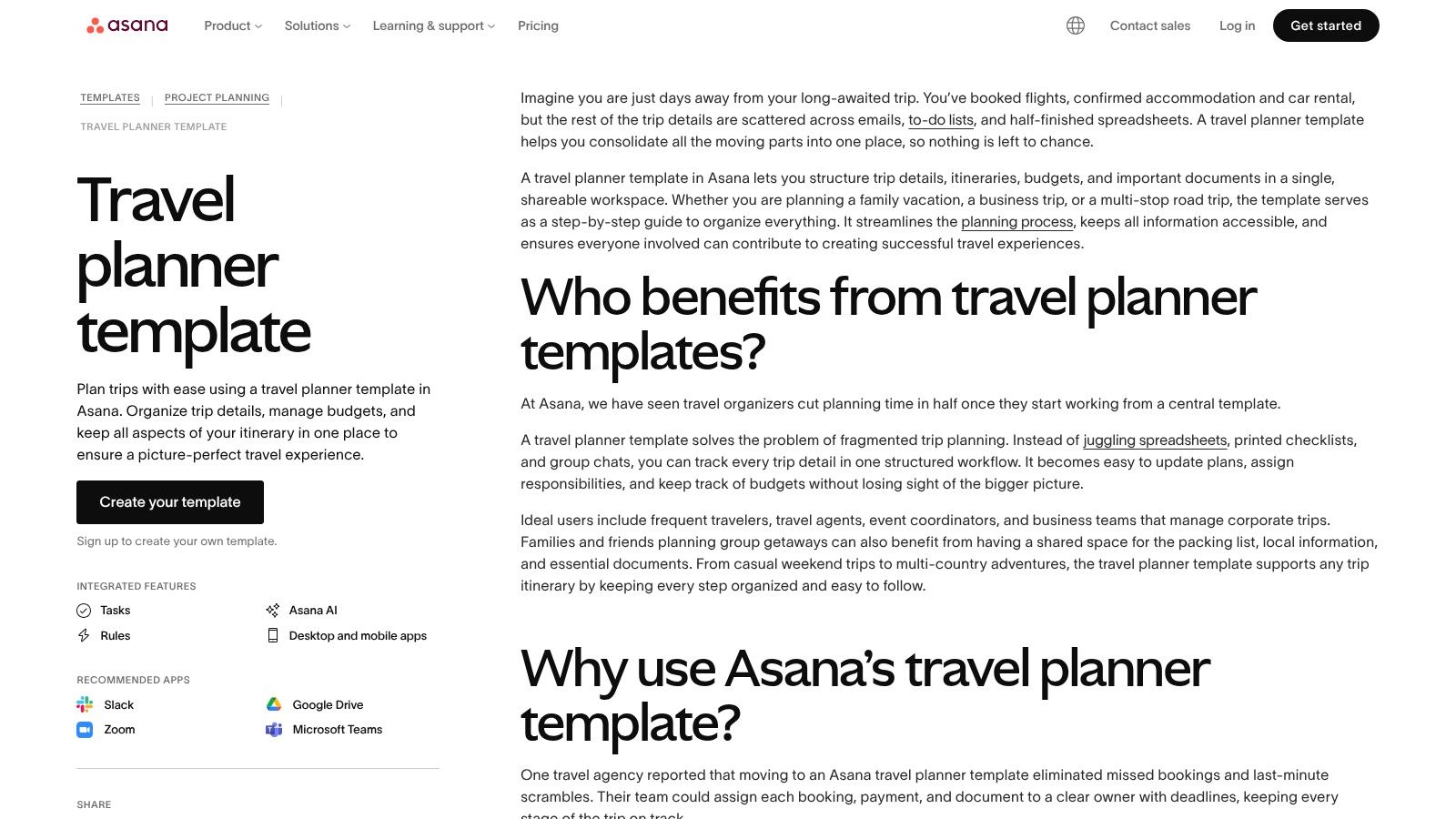
This task-based system shines when organizing a trip with multiple moving parts and clear responsibilities, such as a corporate retreat in Lisbon or a large family reunion in Dubai. You can create a task for one person to "Book flights to Lisbon" and another for someone else to "Confirm group dinner reservation," each with its own deadline. This clarity eliminates the common "I thought you were doing that" problem in group planning. The free version offers more than enough for most trips, though some visual timeline features are part of paid plans.
Best For: Group planners who need clear accountability and task tracking. Access: Free with an Asana account; some features are premium.
Pros: Excellent for assigning tasks and tracking deadlines, keeps everyone accountable for their part, ideal for complex group or corporate trips.
Cons: Can feel too formal or business-like for casual trips, and the most useful views like Timeline are often behind a paywall.
5. ClickUp – Trip Planner template
ClickUp brings its project management power to travel with a ready-to-use Trip Planner template. You can import this free trip planning template to centralize everything from destinations and activity ideas to a detailed day-by-day itinerary. Its strength lies in its multiple "views," allowing you to switch between a traditional list, a visual Kanban board, or a calendar, depending on how you prefer to see your plans.
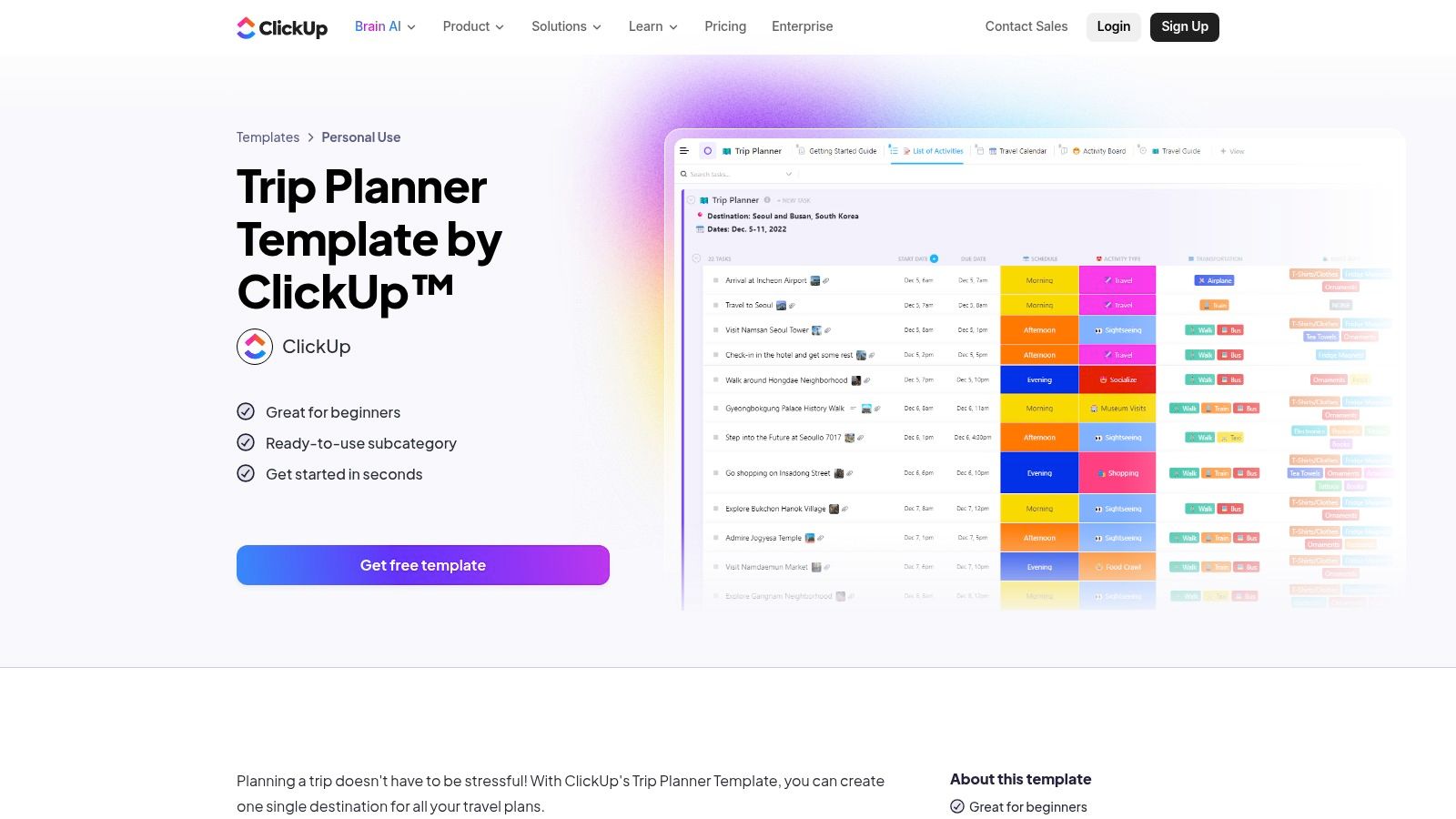
This setup is great for a dynamic trip where plans might change, like a road trip along the Croatian coast from Split to Dubrovnik. You can drag and drop activities between days on the Calendar view or update their status on the Board view from "Idea" to "Booked." For group trips, you can assign tasks like "Book flights" or "Reserve dinner" to specific people and track progress with custom checklists. This makes it a solid tool for teams or families who need clear ownership over parts of the plan.
Best For: Planners who appreciate project management tools and want to visualize their trip in multiple formats. Access: Free template available with a ClickUp account.
Pros: Highly flexible with list, board, and calendar views; easy to collaborate and assign tasks within the template.
Cons: The learning curve can be steep if you only need a simple printable itinerary; may be more feature-rich than necessary for basic plans.
6. Microsoft Create – Free itinerary templates (Word/Excel)
For those who prefer working within the familiar environment of Microsoft Office, Microsoft Create offers a solid collection of free itinerary templates for Word and Excel. These templates are straightforward, easy to edit, and perfect for planners who want a printable or offline document without learning a new platform. The library includes designs for various trip types, including business travel, family vacations, and detailed daily schedules.
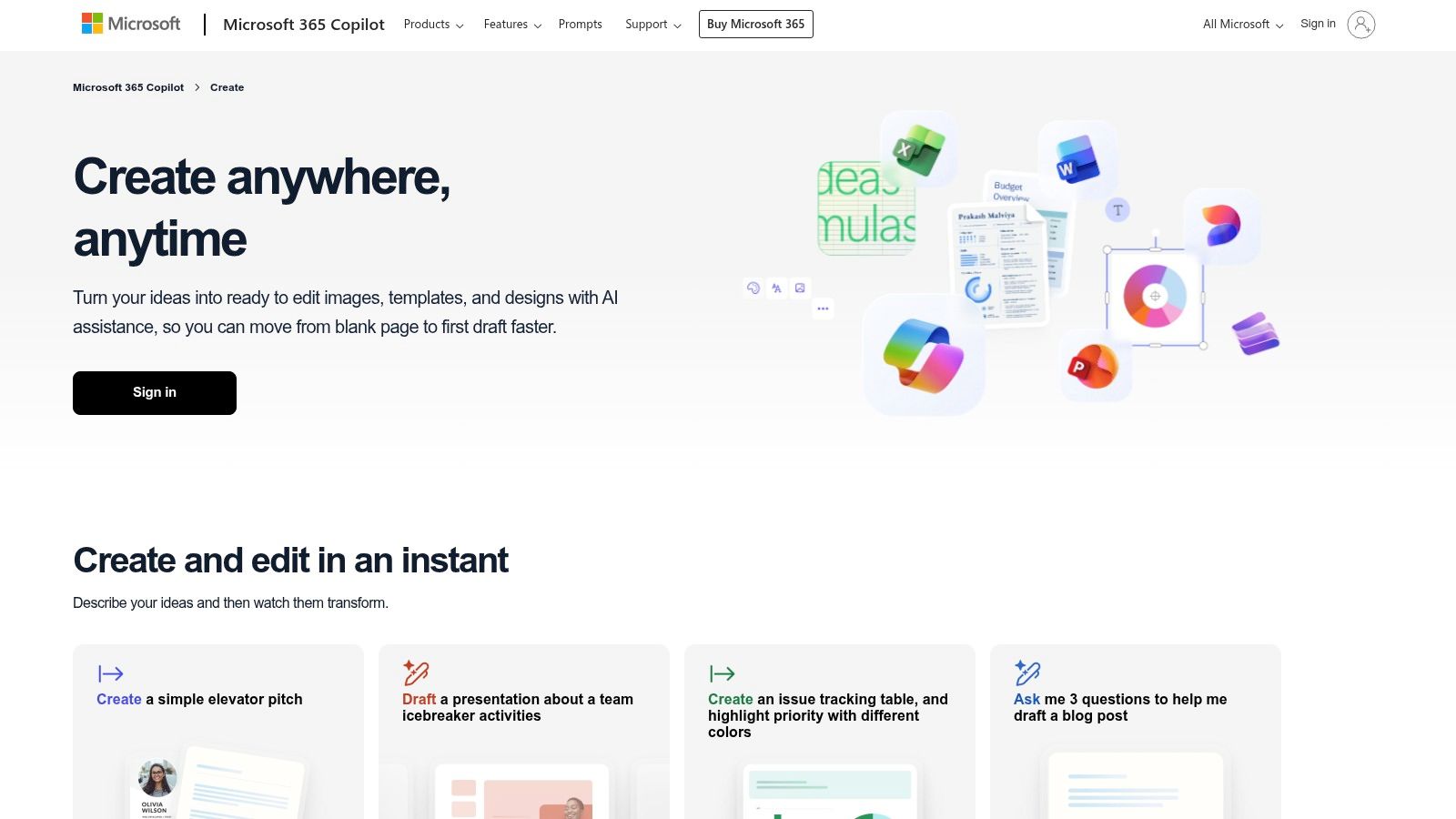
This option is great for organizing a structured family reunion in a city like Lisbon or a business trip to Dubai. Because the templates are file-based, they can be easily shared via email and work seamlessly across desktop and web versions of Word and Excel. The simplicity is its main strength; you can quickly create a clear, organized plan without any fuss. For larger family gatherings, you can adapt these documents using tips from a dedicated family reunion itinerary template to ensure everyone's needs are met.
Best For: Individuals and families who prefer the simplicity and familiarity of Word and Excel. Access: Free to download and use with Microsoft Office or a free Microsoft account.
Pros: Familiar and widely used formats (Word/Excel), good selection of templates for business or family trips, excellent for printing.
Cons: Collaboration is basic compared to modern tools, templates are static files rather than live, shareable databases.
7. Vertex42 – Travel Itinerary template (Excel/Word)
For those who prefer a classic, no-fuss approach, Vertex42 offers a reliable and free trip planning template in familiar Excel and Word formats. It provides a clean, one-page structure for summarizing your entire trip, including flight details, ground transportation, lodging information, and scheduled activities. Its simplicity is its strength, making it an excellent choice for creating a printable summary you can easily share or carry with you.
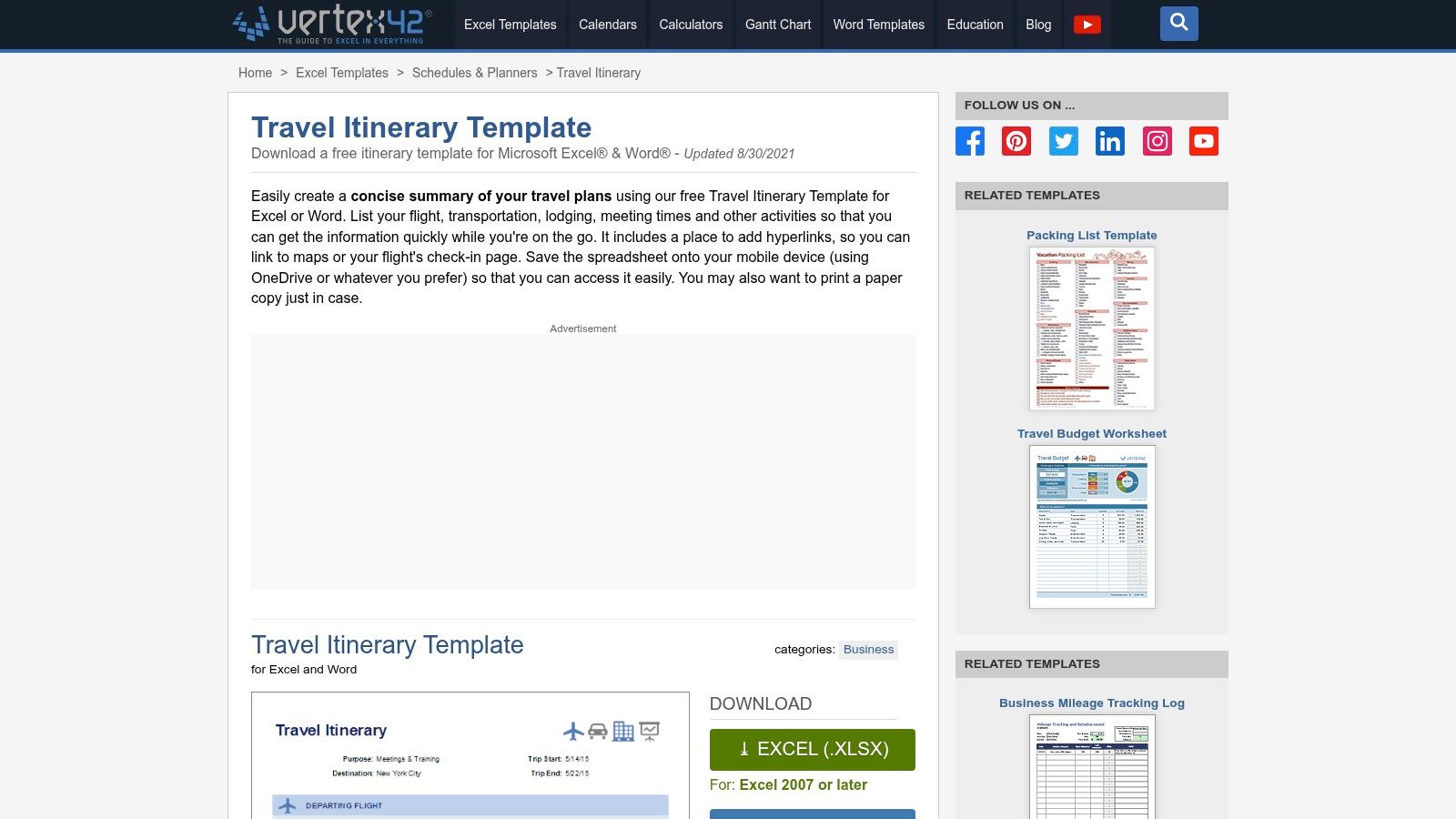
This template is perfect for straightforward trips where a detailed digital dashboard is overkill, such as a weekend getaway to Lisbon or a family holiday in Dubai. You can fill in confirmation numbers, add hyperlinks to reservation pages, and print a copy for each family member. The layout is clear and easy to follow, ensuring everyone knows the key details at a glance without needing to access a shared app. It serves as a dependable, offline-ready reference for your most important travel information.
Best For: Planners who want a simple, printable, one-page itinerary summary. Access: Free to download from the Vertex42 website.
Pros: Lightweight and easy to share or print, trusted template library with clear instructions, works offline.
Cons: Not built for complex collaboration or live updates, offers a more limited structure compared to database-based planners.
8. Smartsheet – Free itinerary template downloads
For planners who prefer the familiarity of traditional document formats, Smartsheet curates a collection of free itinerary templates designed for Excel, Word, PDF, and Google Docs. This approach is perfect if you want a polished, ready-to-print layout without needing to sign up for a new platform. The site offers a variety of specialized templates for personal travel, business trips, and events, each with a clean and professional structure.
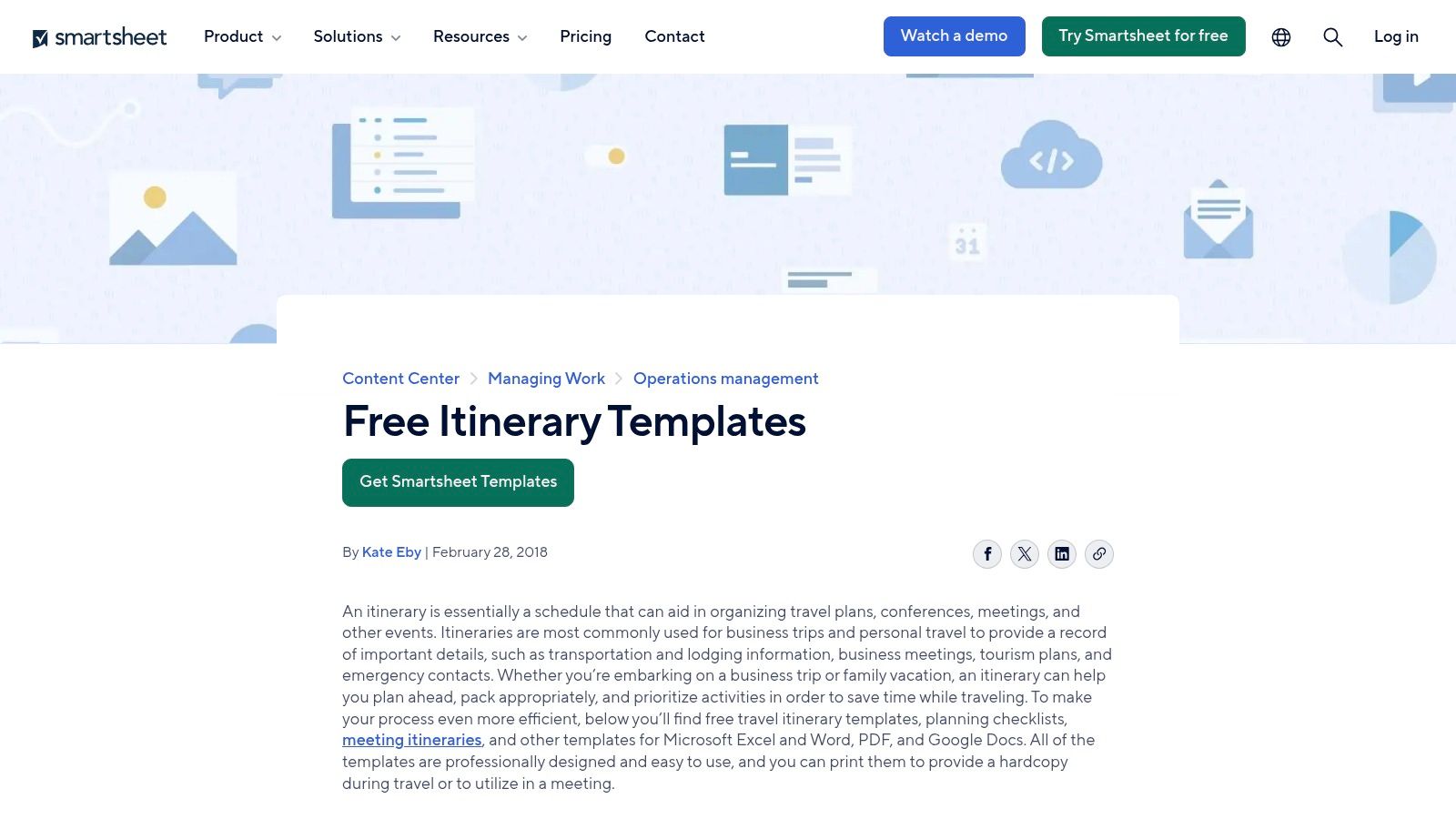
This resource is great for straightforward planning, like creating a shareable PDF for a family trip to Dubai or a simple Word document outlining a business trip to London. Because the templates are static files, they don’t offer the real-time collaboration of a cloud-based tool unless you upload them to Google Docs or a similar service. However, their main benefit is instant access, as many can be downloaded without an account, saving you time when you just need a functional trip planning template free from complex features.
Best For: Individuals who want a polished, downloadable document to print or share via email. Access: Free downloads available; some require an email address.
Pros: Offers a variety of polished layout variants, no sign-in is required for many templates, and supports multiple document formats.
Cons: The templates are static documents and lack built-in collaborative features unless imported into a separate tool.
9. Adobe Express – Free itinerary maker and templates
Adobe Express shifts the focus from functional data management to visual presentation, offering a suite of professionally-designed templates for creating beautiful, shareable itineraries. Its strength lies in its intuitive drag-and-drop editor, which allows anyone to produce a polished, high-quality document without needing any design skills. This makes it an excellent tool for creating a final, presentable version of a plan, like a welcome handout for a group arriving in Marrakech.
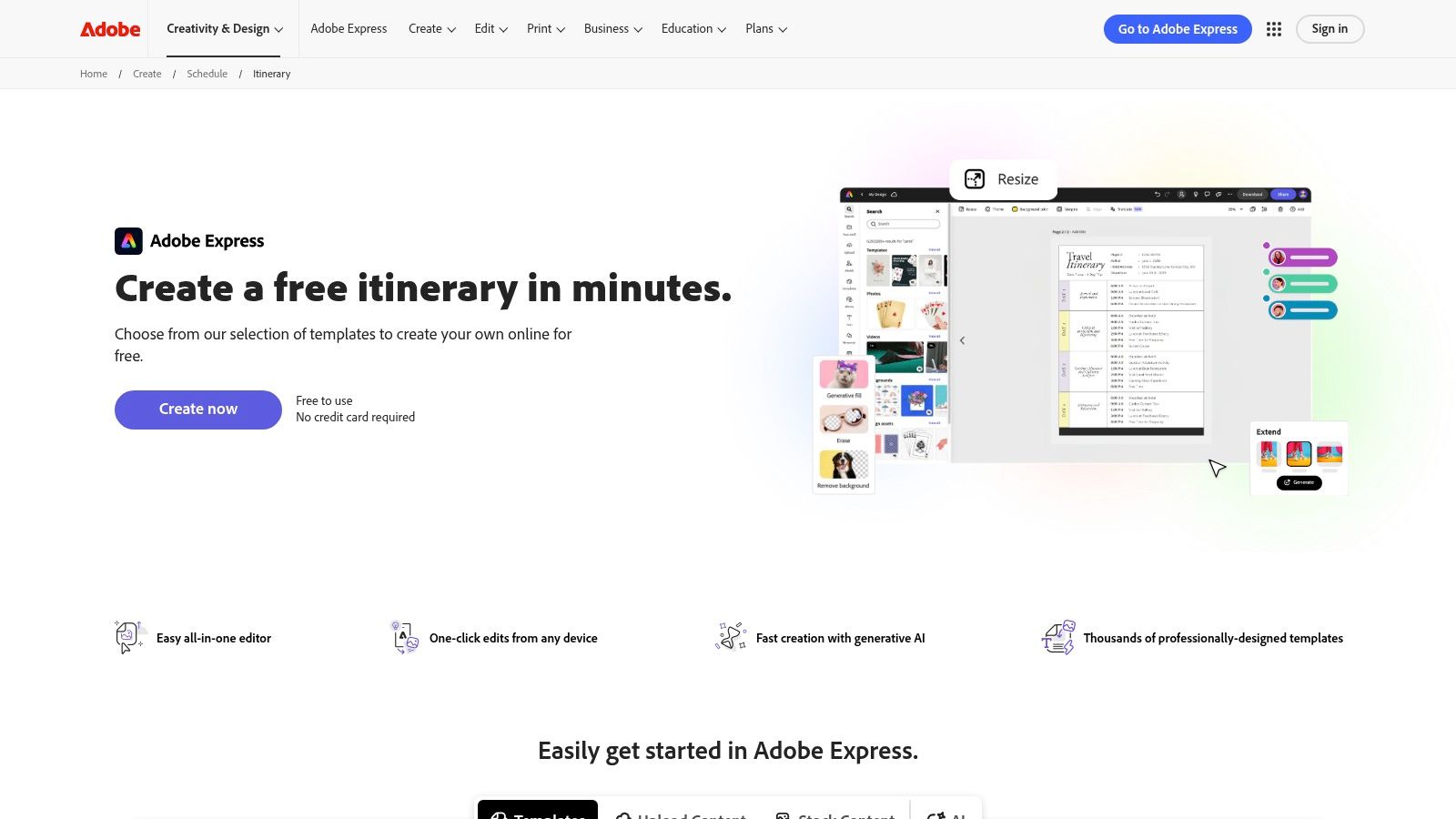
The platform is perfect for when the heavy lifting of planning is done and you want to present the schedule in a visually appealing way. You can customize templates with your own photos, change fonts and colors to match a theme, and then quickly export the final itinerary as a PDF or image file to share via email or a group chat. While it's not a live collaboration tool for the planning phase, it excels at creating a static, stylish final document that everyone can reference. This free trip planning template is a great way to summarize a finalized schedule.
Best For: Planners who want to create visually impressive, print-ready itineraries for their group. Access: Free with an Adobe account; available on web and mobile.
Pros: Produces polished, professional-looking itineraries quickly; no design skills are required; great for creating shareable PDFs or images.
Cons: Purely for presentation, lacks dynamic planning features like budgeting or real-time collaboration.
10. Miro – Ultimate Holidays Planner (Miroverse template)
Miro brings a visual, collaborative whiteboard approach to trip planning with its Ultimate Holidays Planner. This free template, found in the Miroverse community library, offers an infinite canvas where you and your group can brainstorm ideas using sticky notes, images, and embedded links. It provides pre-made sections for must-sees, maps, budget notes, flights, and hotels, making it a fantastic tool for the initial, creative phase of planning a trip. It excels at getting everyone’s ideas out in one shared space before locking in a formal schedule.
This format is perfect for a group of friends deciding on a multi-stop itinerary, like a road trip through Andalusia from Seville to Granada. Everyone can add pins to a map, paste links to potential accommodations, and vote on activities in real-time. The visual nature helps align the group on the overall vibe of the trip. While it’s less structured for minute-by-minute scheduling, this free trip planning template is a powerful starting point for gathering inspiration and ensuring everyone feels included in the decision-making process.
Best For: Visually-driven planners and groups who need a shared space to brainstorm and ideate. Access: Free with a Miro account.
Pros: Excellent for ideation and aligning a group on trip ideas, flexible structure lets teams add varied content types.
Cons: Less structured than spreadsheet or task-based planning tools, may require additional organization to turn ideas into a formal itinerary.
11. Stackby – Travel Itinerary template
Stackby brings the power of a spreadsheet-database hybrid to trip planning, offering a structured yet flexible way to organize travel details. Its travel itinerary template centralizes flights, hotel bookings, activities, and schedules into pre-built tables. This approach allows you to connect different data points, such as linking a specific flight confirmation to a hotel check-in date, creating a highly organized overview of your entire trip.
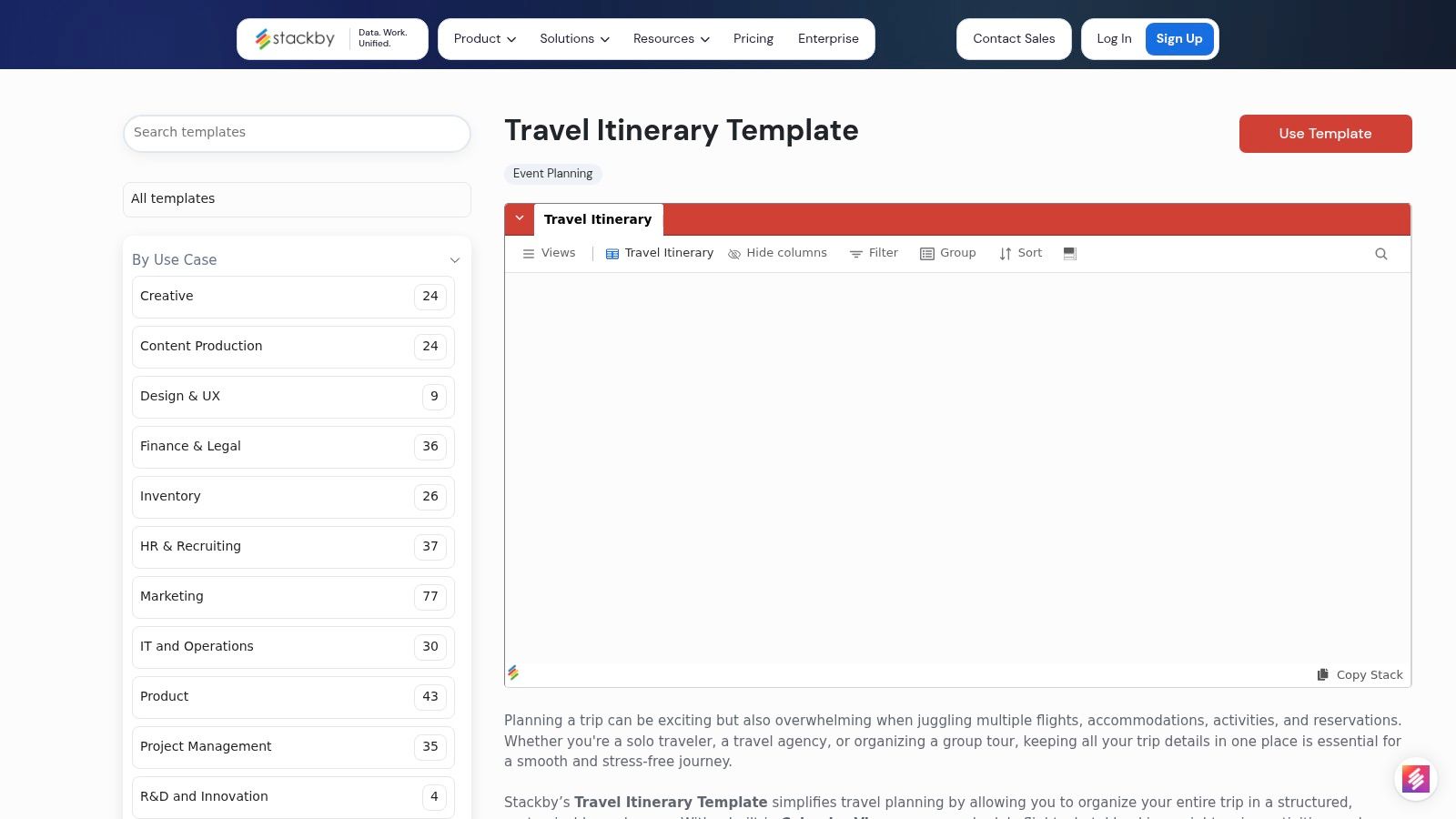
This free trip planning template is particularly effective for organizing a multi-destination trip, like a tour through Spain covering Barcelona, Madrid, and Seville. You can use the calendar or timeline views to visualize your schedule and avoid conflicts, while custom fields let you filter by confirmation status or budget category. Although the platform has a smaller community than some larger tools, its relational database features provide a clear, logical structure that many detail-oriented planners will appreciate.
Best For: Planners who need a structured, database-like system for complex, multi-city itineraries. Access: Free plan available with limits; template is free to use.
Pros: Strong structure with customizable fields for filtering, easy to view schedules on a calendar or timeline, great for managing logistics.
Cons: The platform's ecosystem is smaller compared to major competitors, and initial setup may be required to perfectly match your trip's workflow.
12. gdoc.io – Free Travel Itinerary spreadsheet (Google Sheets)
For groups who live and breathe in the Google ecosystem, gdoc.io offers a straightforward and effective solution. It provides a free Google Sheets travel-itinerary template that you can copy to your own Google Drive with a single click. This approach is perfect for planners who prefer the familiar, grid-based layout of a spreadsheet to manage logistics, track confirmations, and outline daily activities in a shareable, cloud-based document.
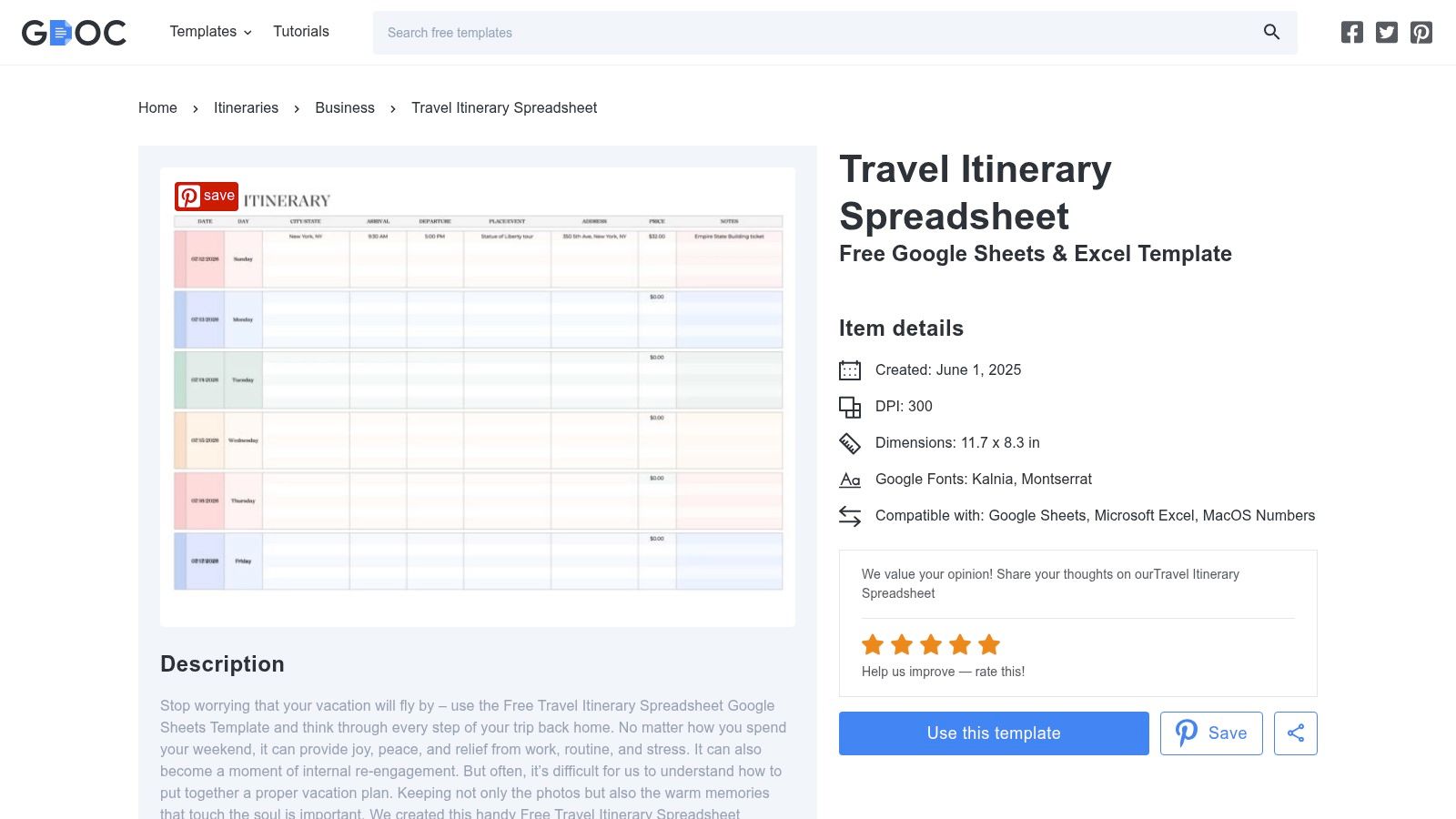
This template shines for its simplicity and accessibility, making it ideal for a family trip to the Amalfi Coast or a weekend getaway with friends to Marrakech. Since it's a Google Sheet, collaboration is effortless; you just share the link and grant editing access to your group. Everyone can update their flight details or add activity ideas in real time. The layout is also designed to be printable, providing a handy offline copy. This free trip planning template is a no-fuss tool for organized travelers.
Best For: Groups already using Google Drive who need a simple, shared itinerary. Access: Free, copy directly to your Google account from the gdoc.io website.
Pros: Familiar spreadsheet format with a very low learning curve, works offline via the Google Sheets app if pre-synced, easy real-time collaboration.
Cons: Lacks built-in voting or task assignment features, not a specialized project-management or design tool, functionality is basic compared to dedicated apps.
12 Free Trip-Planning Templates Compared
Product | Core features | UX / Quality (★) | Pricing & Value (💰) | Target & USP (👥 ✨) |
|---|---|---|---|---|
MyPerfectStay 🏆 | Smart voting + private 2‑min surveys, 300k+ bookable experiences, 1‑click group booking, auto day-by-day itinerary, organizer tools | ★★★★☆ (89% satisfaction) | 💰 Free to start; bookings charged by suppliers | 👥 Friends, families, creators, offsites — 🏆 Recommended ✨Democratic decisions, equal‑voice voting, creator payouts |
Notion – Travel templates | Duplicate pages, relational DBs, collaborative pages & comments | ★★★★☆ | 💰 Free templates; paid plans for advanced features | 👥 Customizers & collaborative groups — ✨Highly customizable databases |
Trello – Trip boards | Boards/lists/cards, checklists, calendar, Power‑Ups, easy sharing | ★★★★☆ | 💰 Free tier; paid for extra Power‑Ups/automations | 👥 Visual planners & task coordinators — ✨Simple kanban, mobile friendly |
Asana – Travel Planner | Tasks, assignments, due dates, sections, timeline/calendar views | ★★★★☆ | 💰 Free/basic; premium for advanced timelines | 👥 Teams & corporate planners — ✨Clear accountability & deadlines |
ClickUp – Trip template | Multi‑view (List/Board/Calendar), custom fields, checklists | ★★★★☆ | 💰 Generous free tier; paid for automations & advanced features | 👥 Power users & flexible planners — ✨Highly configurable views |
Microsoft Create – Itineraries | Word/Excel templates, easy editing, printable exports | ★★★★☆ | 💰 Free templates; Office may be required for desktop edits | 👥 Offline/print users, families — ✨Familiar Word/Excel formats |
Vertex42 – Itinerary | Clean one‑pager Excel/Word templates with fields for times & links | ★★★★☆ | 💰 Free, lightweight download | 👥 Minimalists & printable needs — ✨Trusted, printable one‑pagers |
Smartsheet – Templates | Downloadable templates in Excel/Word/PDF/Google formats | ★★★★☆ | 💰 Many free downloads; Smartsheet paid for live use | 👥 Event planners & pros — ✨Polished, ready‑to‑print layouts |
Adobe Express – Itinerary maker | Drag‑and‑drop templates, stock assets, export to PDF/JPG/PNG | ★★★★☆ | 💰 Free maker; premium assets/subscription available | 👥 Designers & presenters — ✨Fast, visually polished handouts |
Miro – Ultimate Holidays | Collaborative whiteboard, real‑time editing, sticky notes, maps | ★★★★☆ | 💰 Free template; paid for larger teams | 👥 Creative teams & brainstormers — ✨Ideal for visual ideation |
Stackby – Travel Itinerary | Spreadsheet‑database, calendar & timeline views, custom fields | ★★★★☆ | 💰 Free tier; paid for more rows/automation | 👥 Agencies & structured planners — ✨DB filtering + timeline views |
gdoc.io – Google Sheets | Day‑by‑day tabs, confirmations, shareable Google Sheets template | ★★★★☆ | 💰 Free (requires Google account) | 👥 Google Drive users & simple groups — ✨Simple, shareable spreadsheet |
From Template to Takeoff: Your Best Trip Awaits
Moving from a vague travel idea to a fully realized itinerary can feel like a monumental task. The collection of tools we've explored demonstrates that with the right foundation, meticulous planning becomes accessible, not intimidating. We've seen how a simple spreadsheet from Vertex42 can perfectly structure a solo weekend getaway to Prague, while a dynamic Miro board provides the visual canvas needed for brainstorming a family reunion in Santorini. The core takeaway is that a trip planning template free of charge can be just as powerful as a paid solution, provided it aligns with your specific needs.
The journey to finding your ideal template starts with an honest assessment of your trip's complexity. A solo traveler or a couple planning a straightforward city break in Vienna might find the clean, no-fuss Google Sheets or Microsoft Word templates perfectly adequate. These tools excel at creating a linear, chronological plan that’s easy to print and reference on the go. However, as group sizes and trip complexity increase, so does the need for more collaborative and dynamic features.
Choosing Your Best Fit
For groups, the decision-making process becomes critical. A group of friends planning a multi-stop trip through Dubai and Abu Dhabi will quickly outgrow a static document. This is where tools like Trello, Asana, or ClickUp truly shine. Their card-based systems and task assignments prevent communication breakdowns and ensure everyone is on the same page. You can assign someone to book the desert safari, another to research restaurants, and track progress visually. The key considerations when choosing a template for group travel are:
Collaboration: Can multiple people edit and comment in real-time?
Accessibility: Is it easy for everyone, regardless of tech-savviness, to use?
Centralization: Does it keep all conversations, documents, and decisions in one place?
Task Management: Can you assign owners and deadlines to specific planning activities?
Ultimately, the goal of any trip planning template free tool is to get the administrative work done efficiently so you can focus on the excitement of the trip itself. It’s about creating a single source of truth that eliminates the frantic last-minute scramble for flight details or hotel addresses. By selecting a template that matches your travel style, you are setting the stage for a smoother, more organized, and ultimately more enjoyable adventure.
Ready to graduate from scattered spreadsheets and messy group chats? MyPerfectStay centralizes your entire group planning process, from destination polls and budget tracking to creating a shared itinerary and booking your stay, all in one place. Try MyPerfectStay for your next group trip and experience planning that feels as good as the vacation itself.

Alle Seiten
Resources
FAQ’s
Häufig gestellte Fragen
Hier findest du Antworten auf die wichtigsten Fragen zu MyPerfectStay – zu Funktionen, Buchung und wie Gruppenplanung bei uns funktioniert.
Müssen wir eine App herunterladen?
Wie funktioniert der „Match Score“?
Können wir für die ganze Gruppe auf einmal buchen?
Braucht jeder einen Account oder Login?
Können wir eine Voting-Deadline setzen?
Ist das Buchen über MyPerfectStay sicher?
Hol dir MyPerfectStay für deine nächste Reise
Erstelle einen Tagesplan, auf den sich eure ganze Gruppe einigt – ohne Kompromisse.



300K+
Aktivitäten
190+
Länder
Schick uns eine Nachricht
Sag uns kurz, worum’s geht – wir antworten innerhalb von 24–48 Stunden.

Gruppenreisen, endlich gelöst. Plant Trips, die alle lieben – ohne endlose Diskussionen.


Lade unsere App herunter

